
Built for the hours a seller spends between supplier and store.
One workspace: paste supplier links, watch drafts prepare themselves, finish the decisions only you can make, publish with one explicit approval, and see your orders. Graphite by default; a warm light theme if you prefer it.
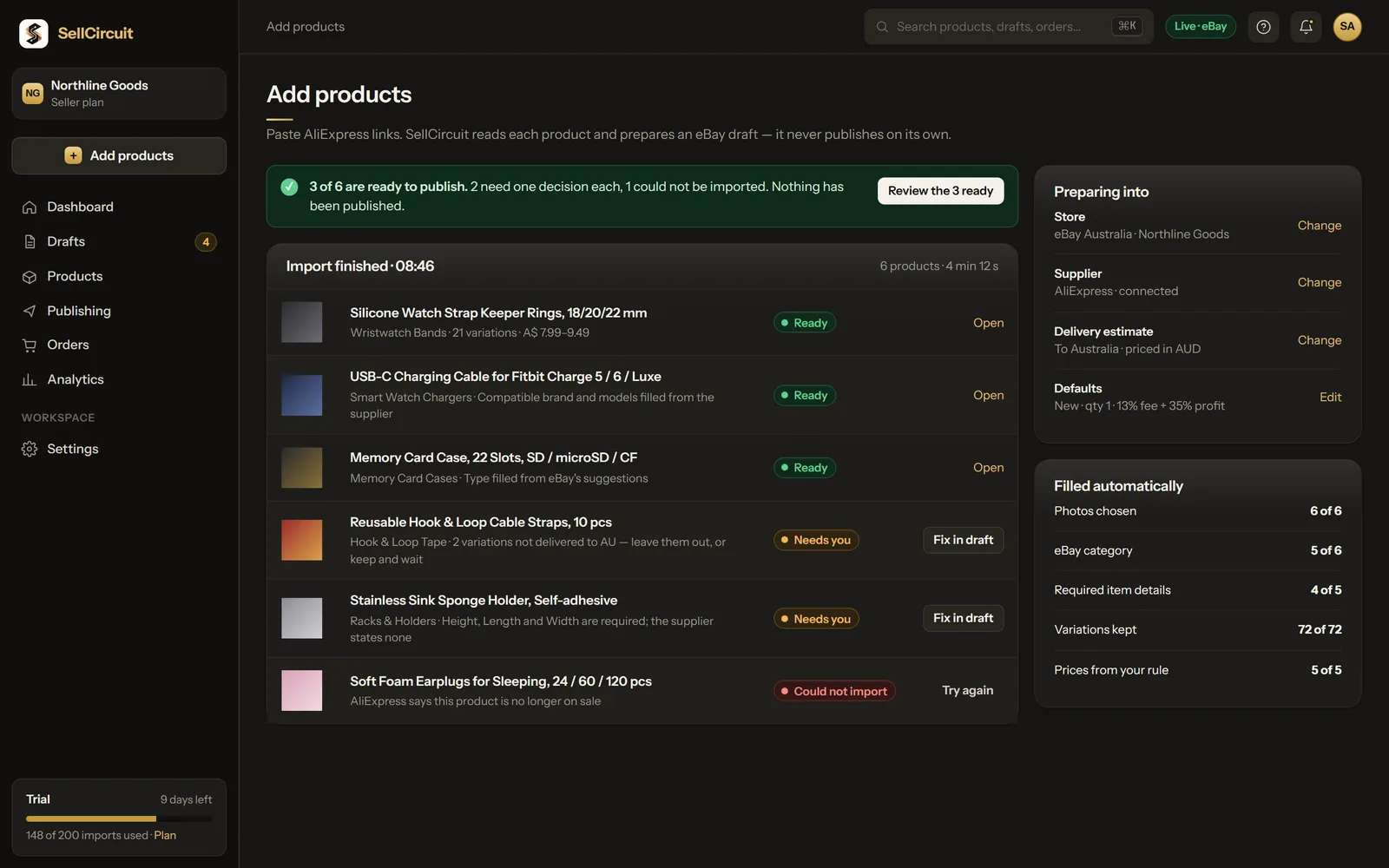
Add products: paste links, get drafts.
Paste AliExpress links, one per line. SellCircuit reads each product, keeps its variations, chooses photos, matches eBay's category and fills the item specifics it can support.
The result says what was filled and what is left: Ready, Needs you with the one detail, or Could not import with the supplier's reason. Nothing is published.
Example workspace. Figures are illustrative.
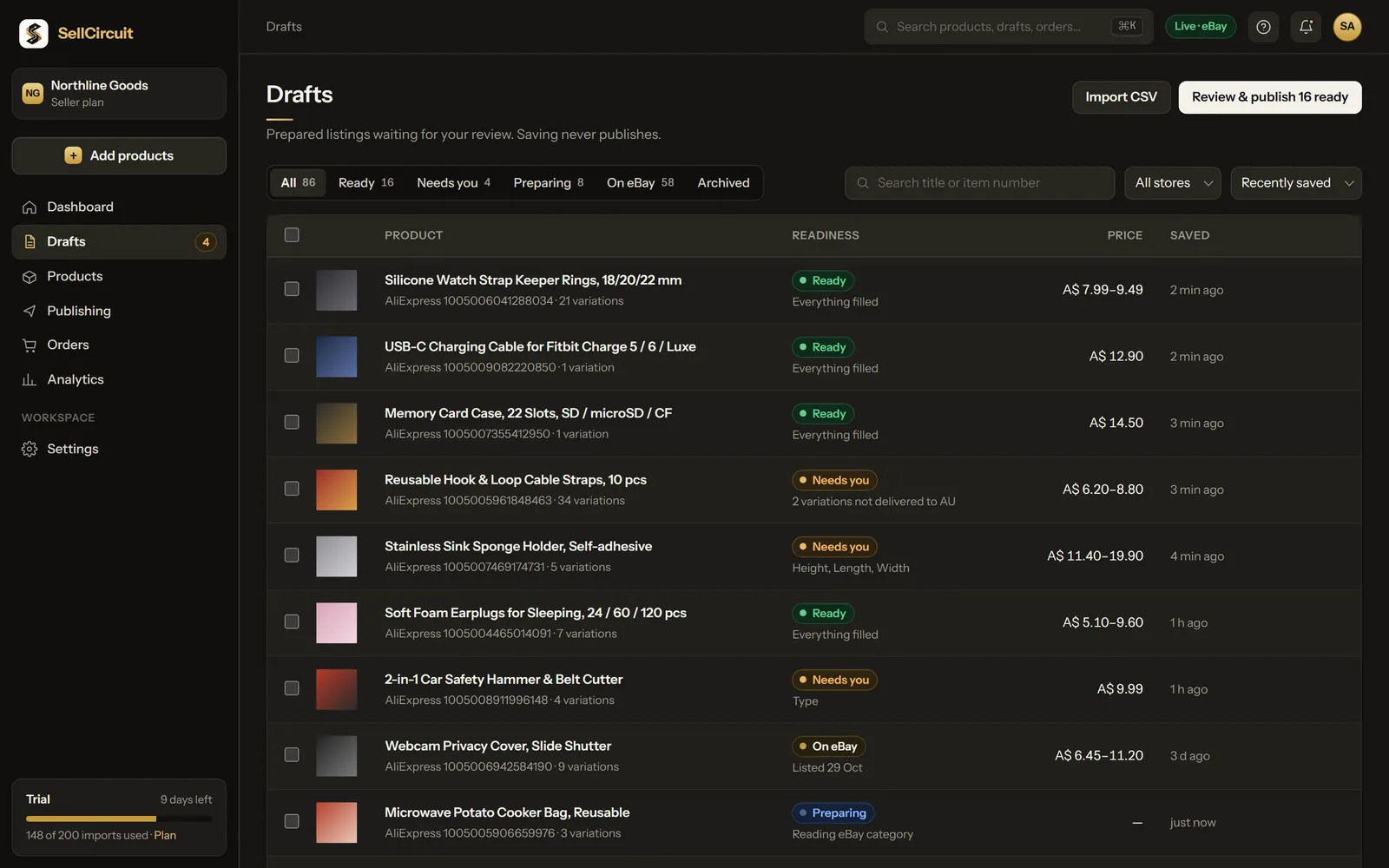
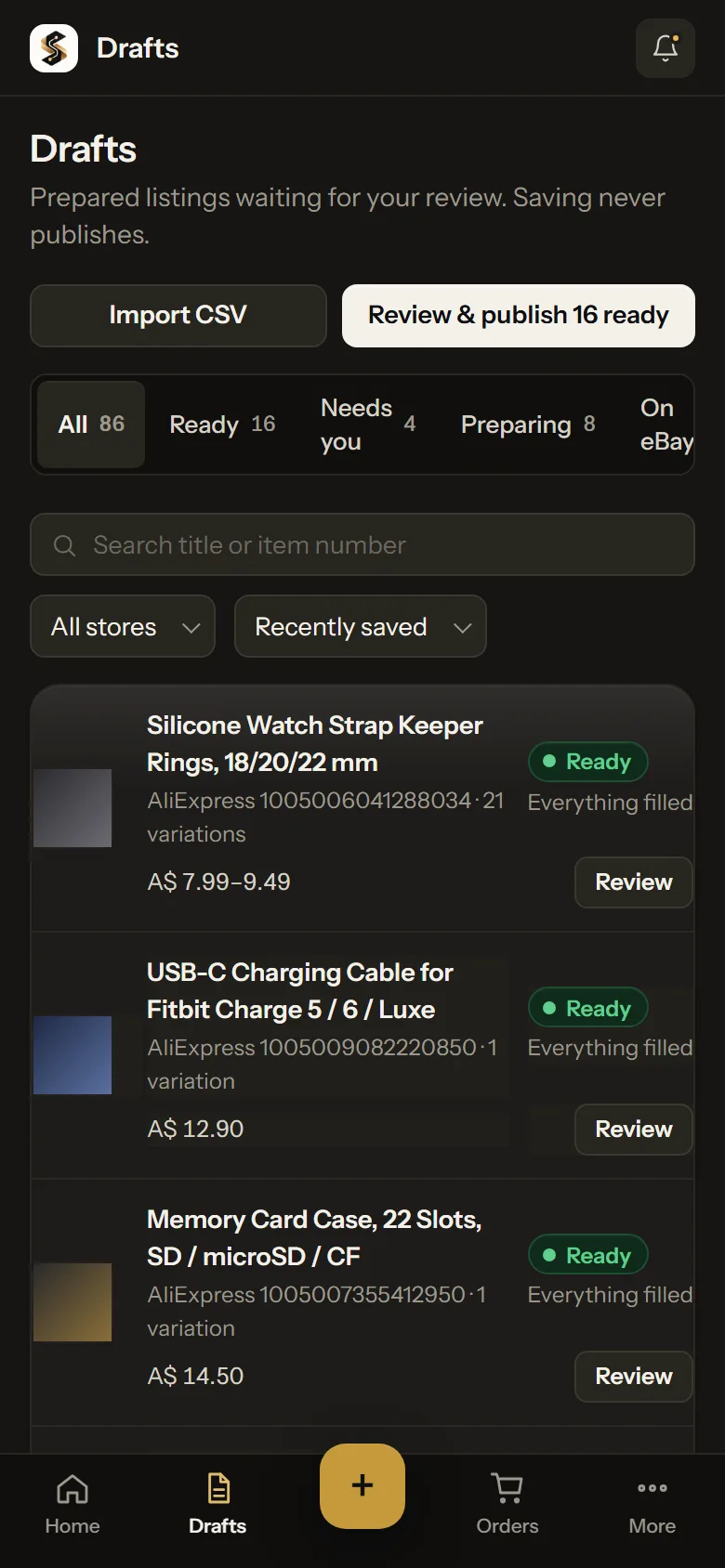
Drafts: every listing, and exactly where it stands.
The readiness column states the reason, not just the status: Height, Length, Width; 2 variations not delivered to your country; Everything filled.
Filter by status or store, search by title or item number, select many and act on them together.
Example workspace. Figures are illustrative.
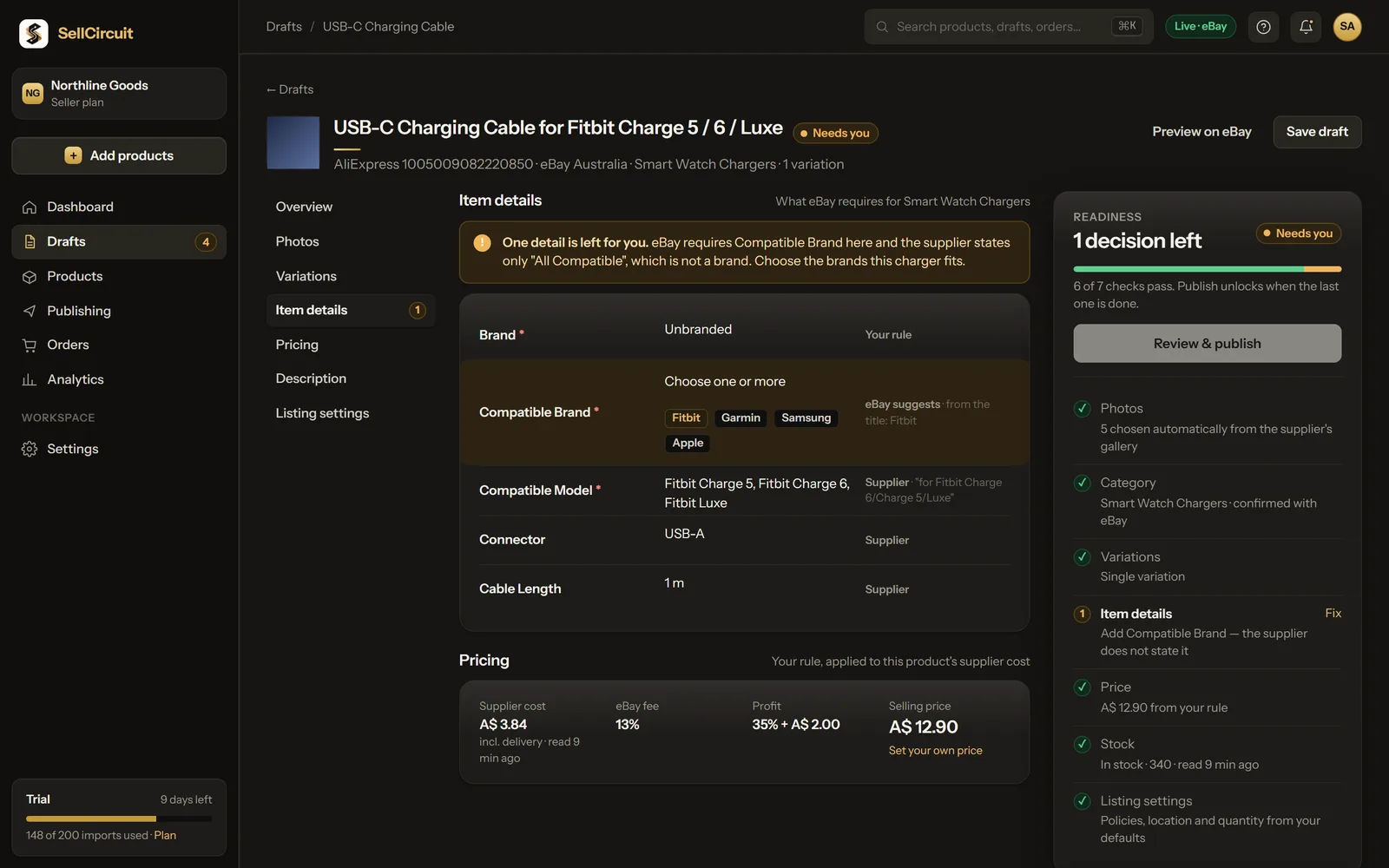
The listing editor: sections, sources, and a rail that tells the truth.
Overview, Photos, Variations, Item details, Pricing, Description and Listing settings on one page. Every value shows where it came from: Supplier, Your rule, eBay suggests, Chosen for you.
The readiness rail lists every check. The one that needs you is highlighted, with a Fix that takes you to the field. Publish unlocks when the last check passes.
Example workspace. Figures are illustrative.
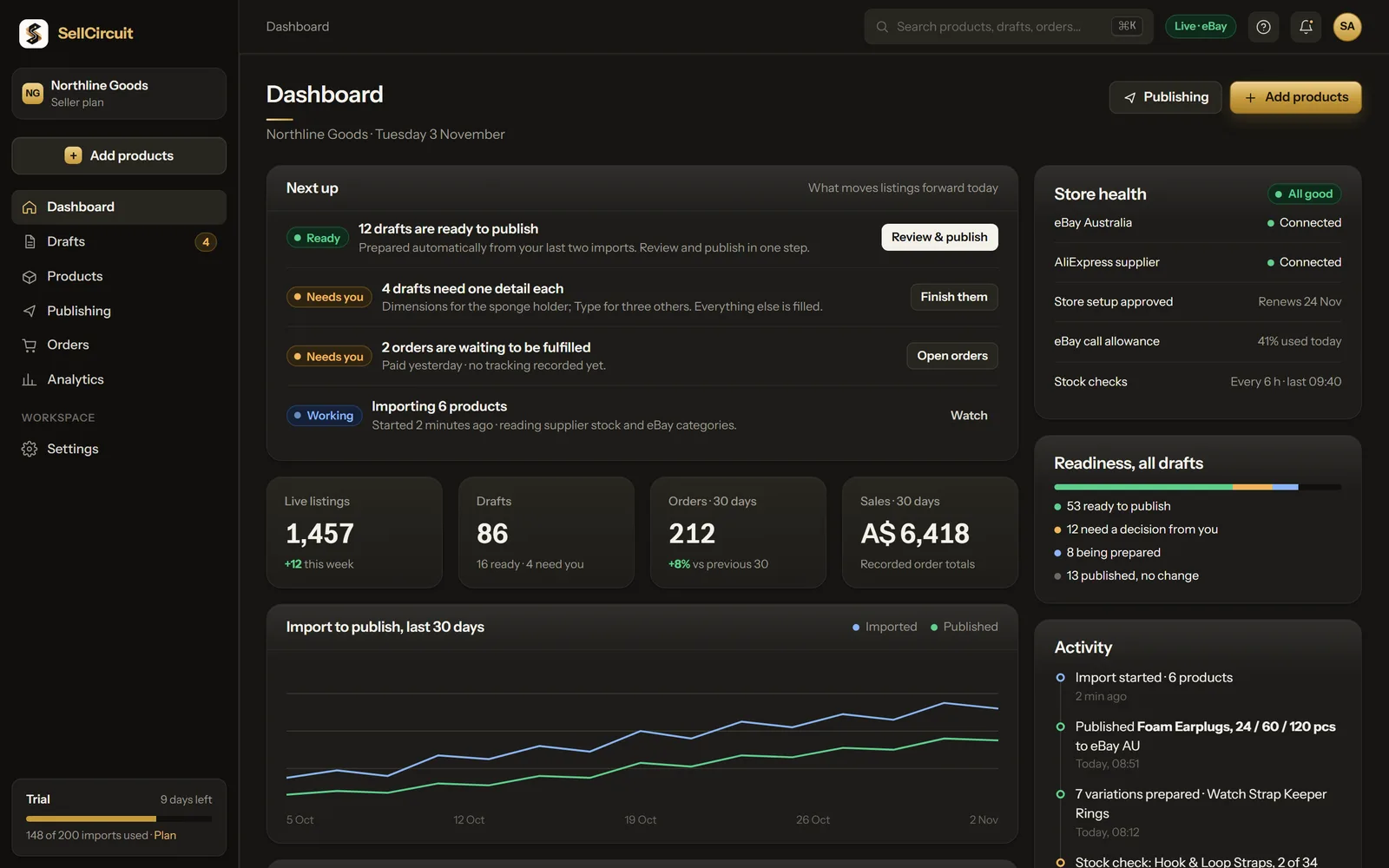
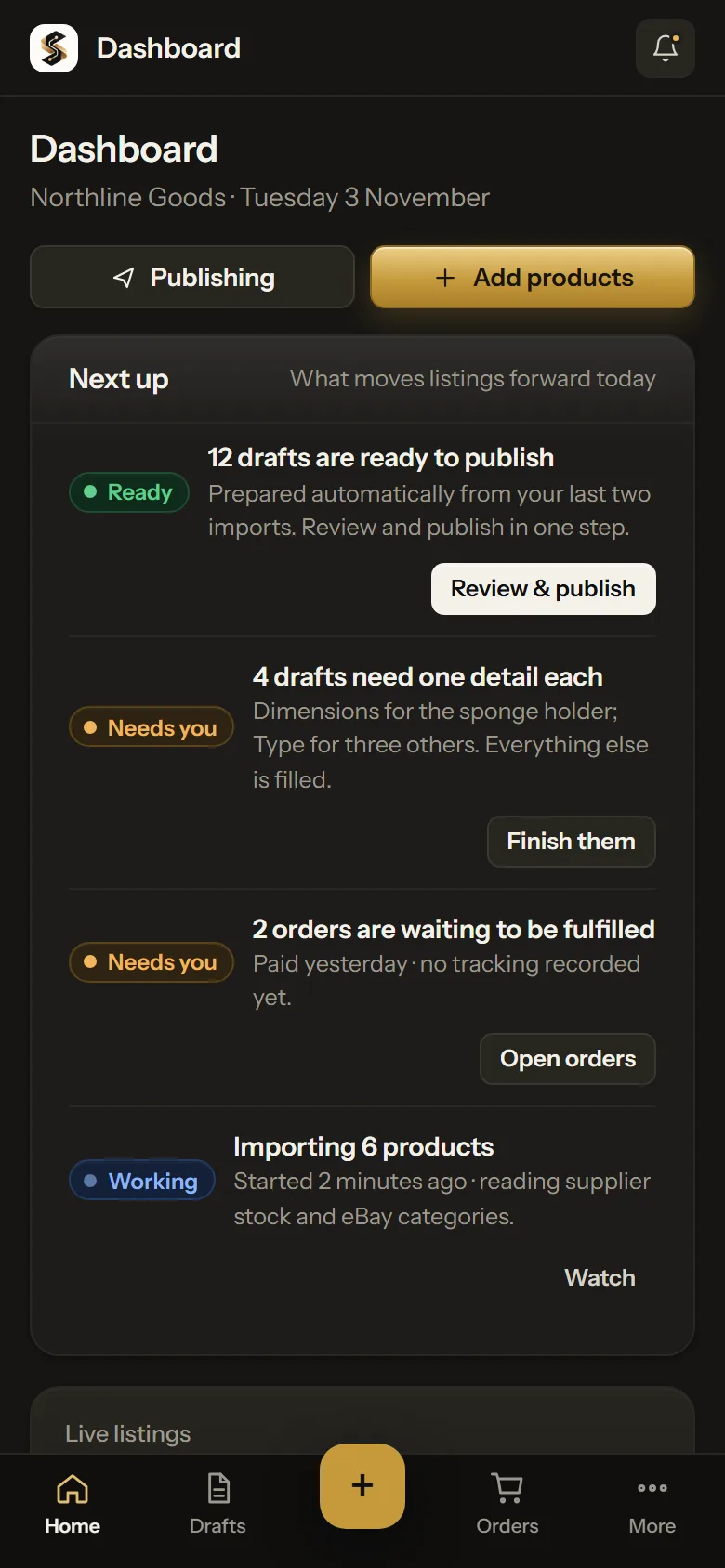
Dashboard: what moves listings forward today.
Next up leads: drafts ready to publish, drafts that need a detail and issues to look at. Then your figures and store health.
Every number is a count of your own records. Nothing is projected.
Example workspace. Figures are illustrative.
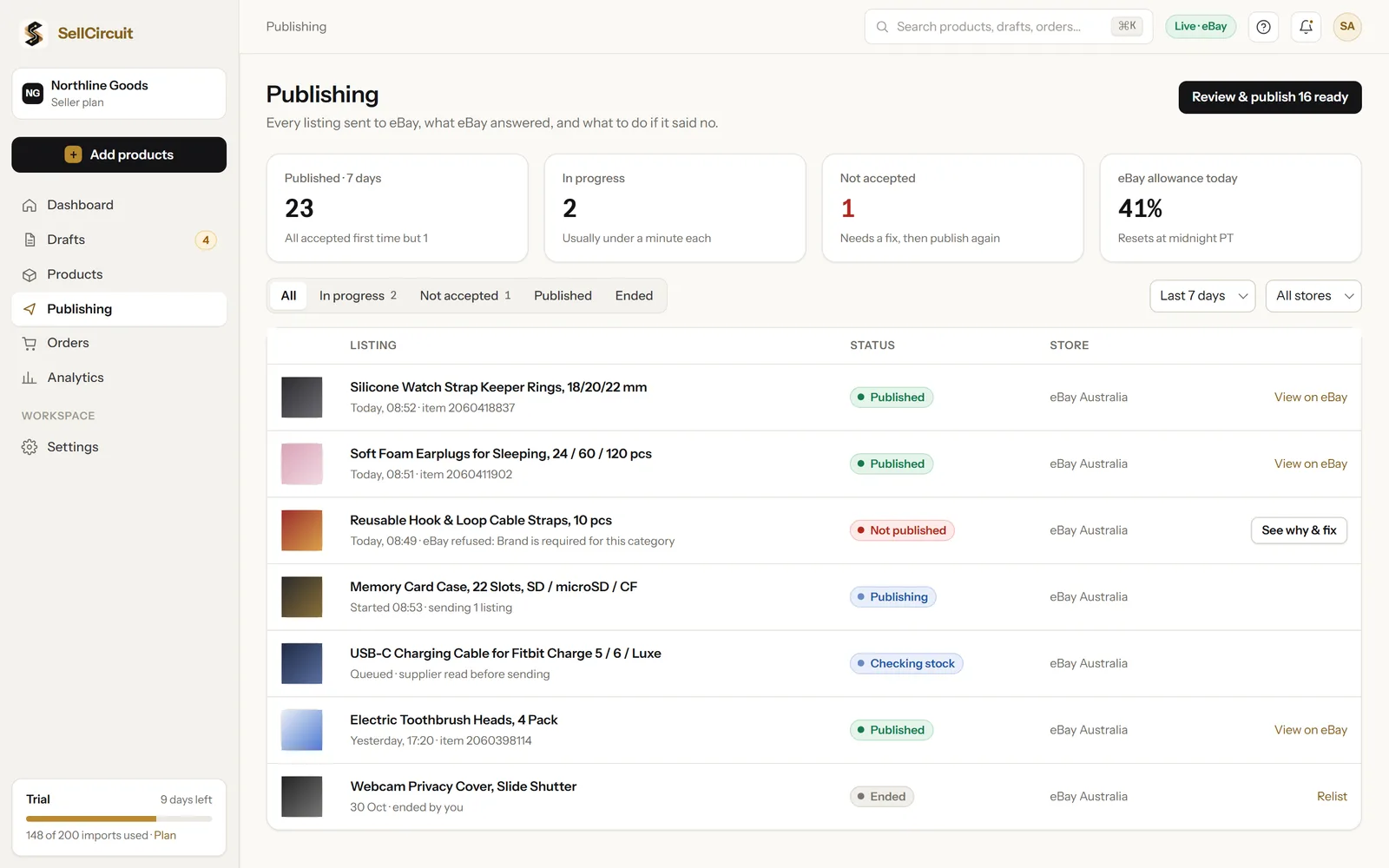
Publishing: eBay's answer, in your words, with the fix.
Each listing you approve shows as published only once eBay confirms it. When eBay refuses one, you see eBay's reason and the one action that fixes it, right there.
Example workspace. Figures are illustrative.
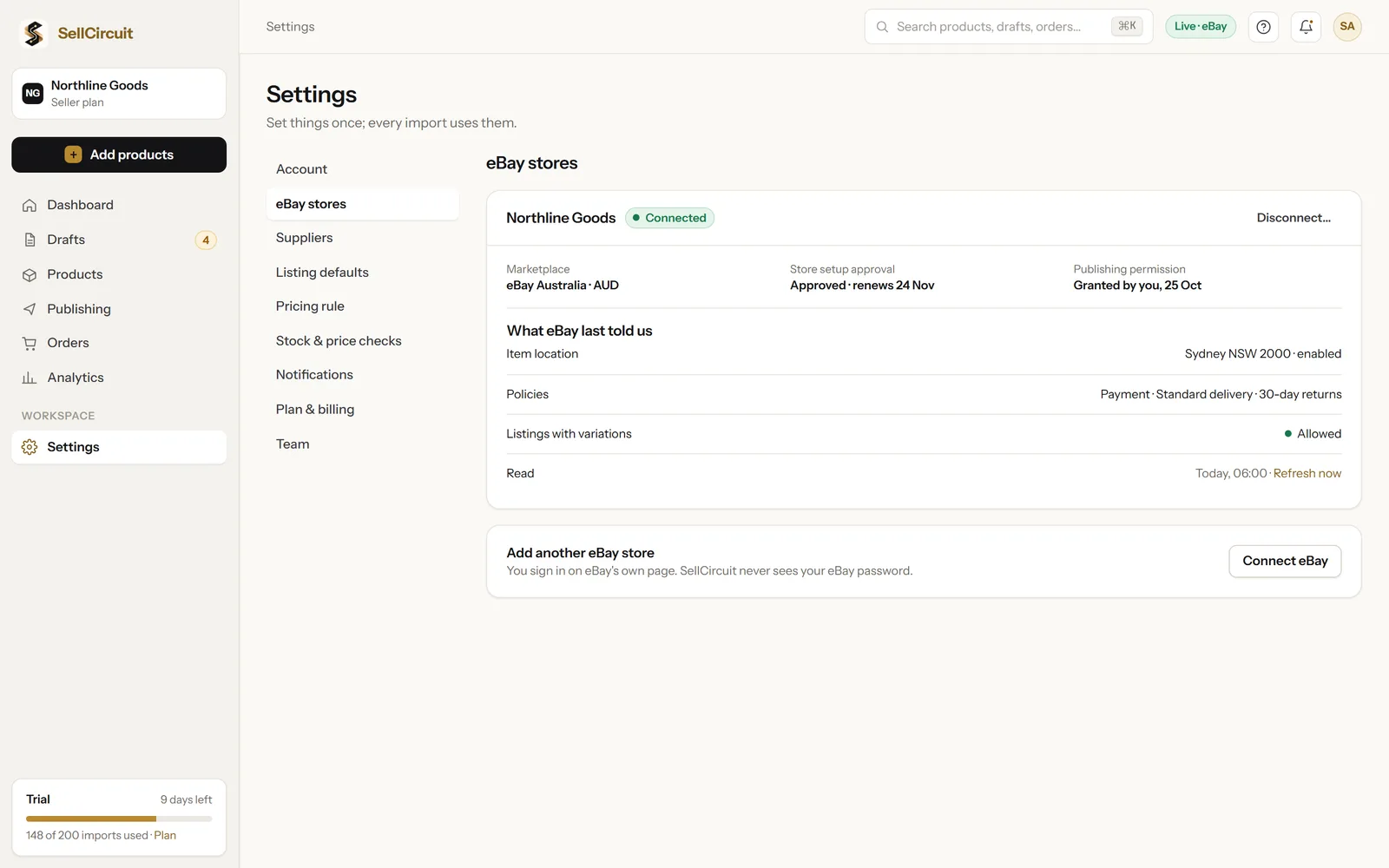
Settings: set once, used by every import.
Connect eBay on eBay's own page. Set your listing defaults and pricing rule once; every new draft starts from them. Choose Graphite, Light or System appearance.
Example workspace. Figures are illustrative.
Your next fifty listings, prepared.
Open SellCircuit, paste the links, and review what is ready.